
If you’ve ever tried to grey out your non-working hours in Google Calendar, you’ve probably hit a wall. Google lets you set your working hours in settings - but it doesn’t actually show any visual shading on your own calendar. It only affects how other people see your availability when scheduling meetings.
So if you want to see your working hours at a glance, you’re basically on your own 😬
Why does this matter?
Without any visual distinction between work and non-work time, your calendar is just a wall of identical white space. You can’t tell at a glance how much of your working day is left, or how your personal time is stacking up against your work commitments.
It sounds minor - but there is a better way!
The fix
Shade Calendar is a Chrome extension that adds colored shading directly onto your Google Calendar. You set the hours you want shaded - say, midnight to 9am and 5:30pm to midnight on weekdays, plus all day Saturday and Sunday - and it does the rest:
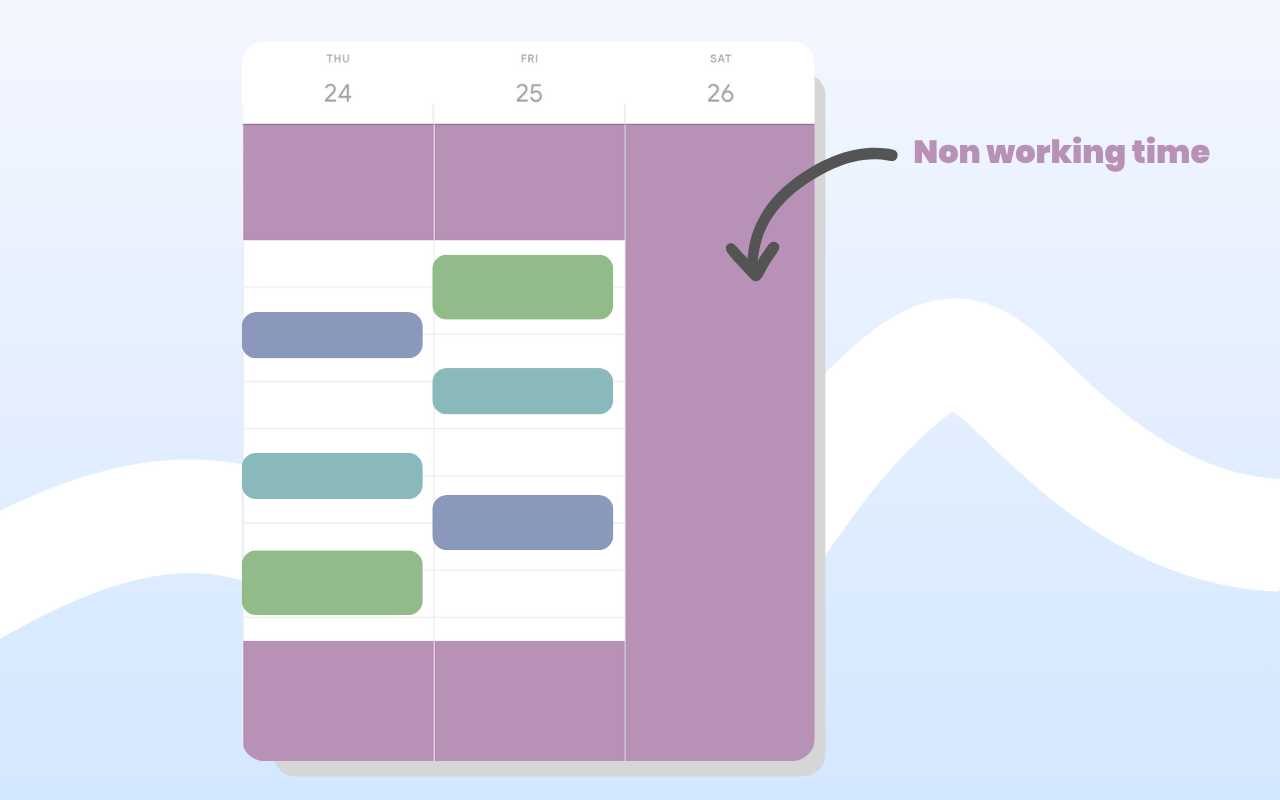 The result? Open your calendar and immediately see exactly how much of your working day you have left. No mental maths
and no squinting at the clock 😂
The result? Open your calendar and immediately see exactly how much of your working day you have left. No mental maths
and no squinting at the clock 😂
Getting started
Install the extension, open Google Calendar, and set your shading blocks. Most people start with their out-of-hours time and go from there. It takes about two minutes to set up.
Try Shade Calendar →